One photo you already have. A full set of listing images back.
No studio, no model booking, no retouching queue. Upload the shot you took on your desk, choose the kind of picture you need, and get a set you can put straight on your storefront — usually before you have finished your coffee.
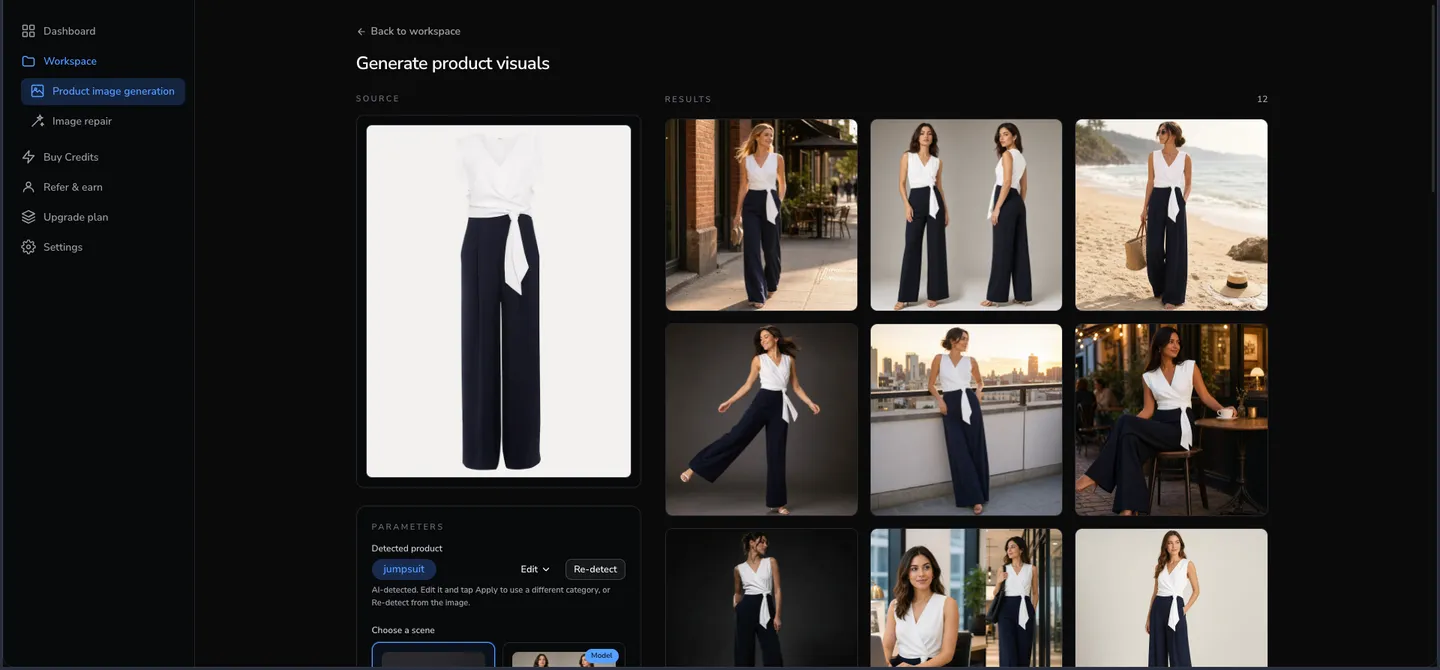
Bring the photo you already took
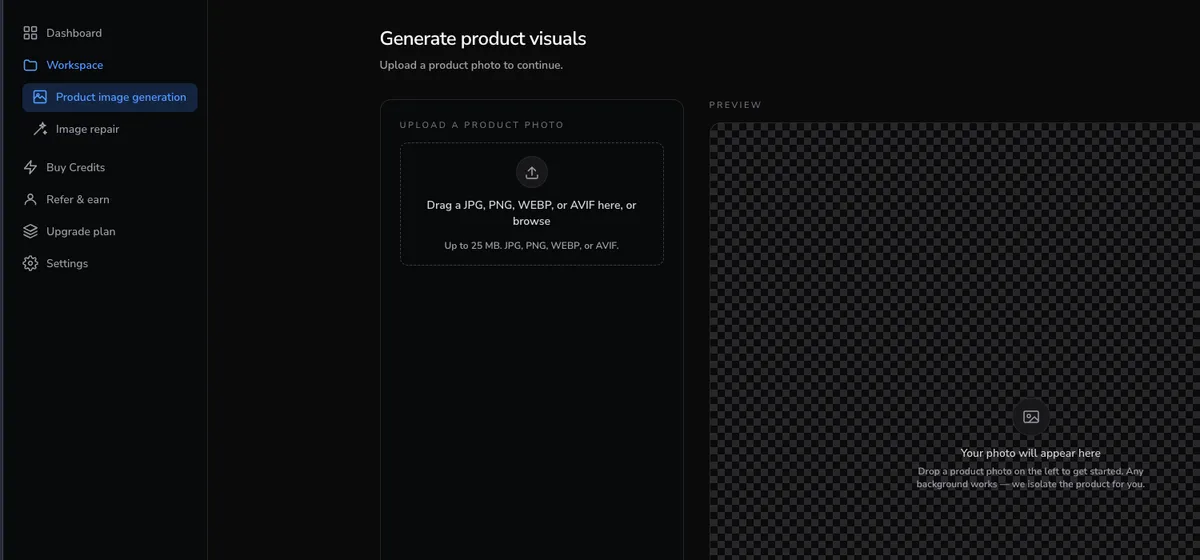
A phone picture on a desk is enough. JPG, PNG, WEBP or AVIF, up to 25 MB, and any background will do — the product is separated from whatever happens to be behind it.
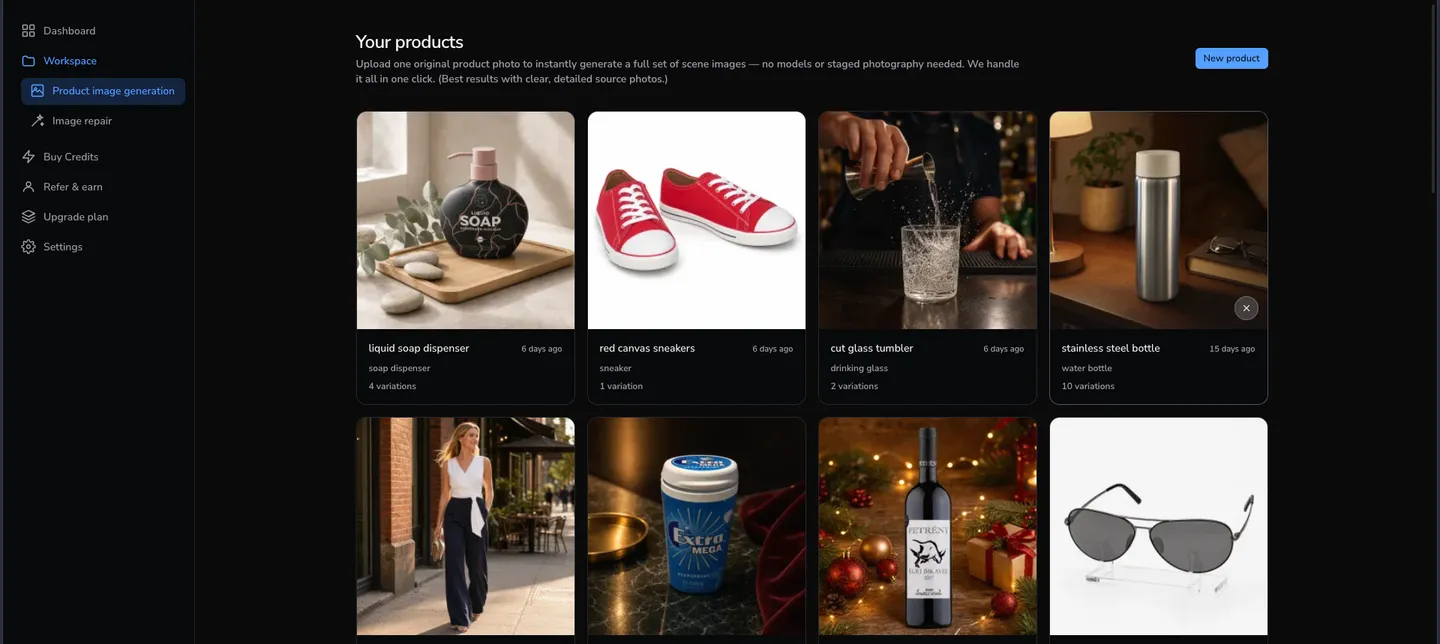
And it stays where you can find it
Everything you upload is kept and grouped by product, along with every image made from it. Come back weeks later and generate more from the same original — no hunting through a downloads folder for the file you used last time.
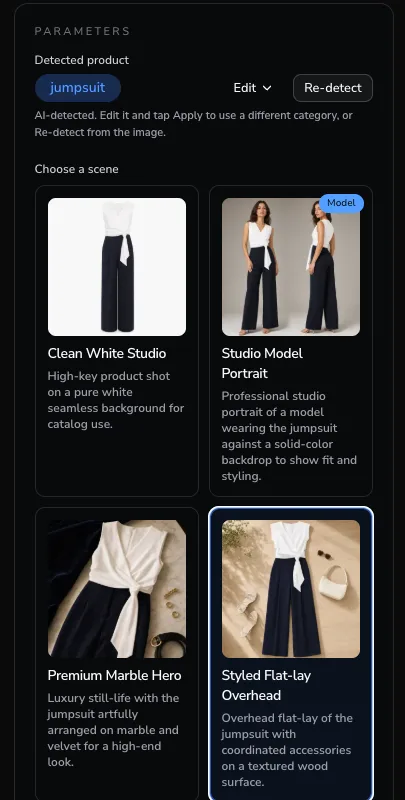
Say what kind of picture you need
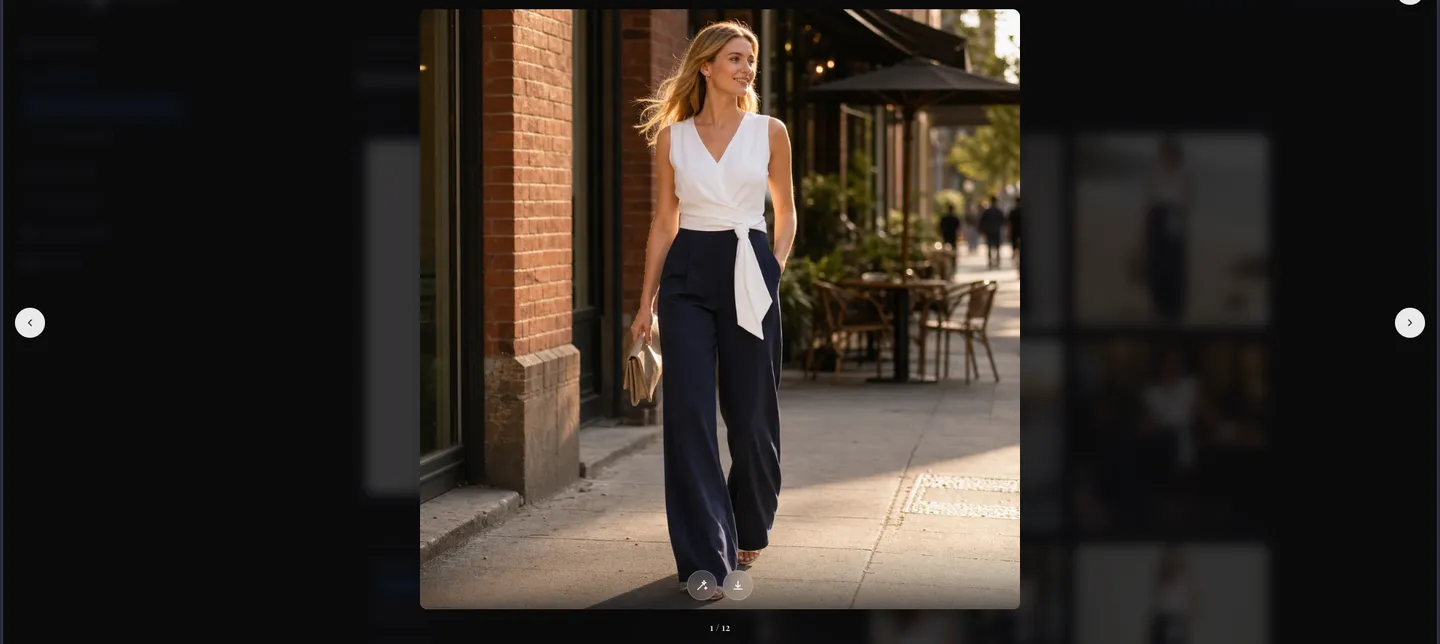
The category is read from the photo itself, and the scenes on offer change with it — a jumpsuit is shown studio portraits and styled flat-lays, a tumbler is shown bar counters and marble. Pick one, or pick a model shot, and choose how many variations to render. Nothing about the product itself is invented: colour, shape and texture come from your photo.
Get a set back, not a single image
Each request returns up to four finished photographs, and they accumulate under the product. Open one full-screen to check it at full size before you use it. A listing usually needs a hero, a couple of lifestyle shots and something square for ads — that is one afternoon of work replaced by a few minutes.
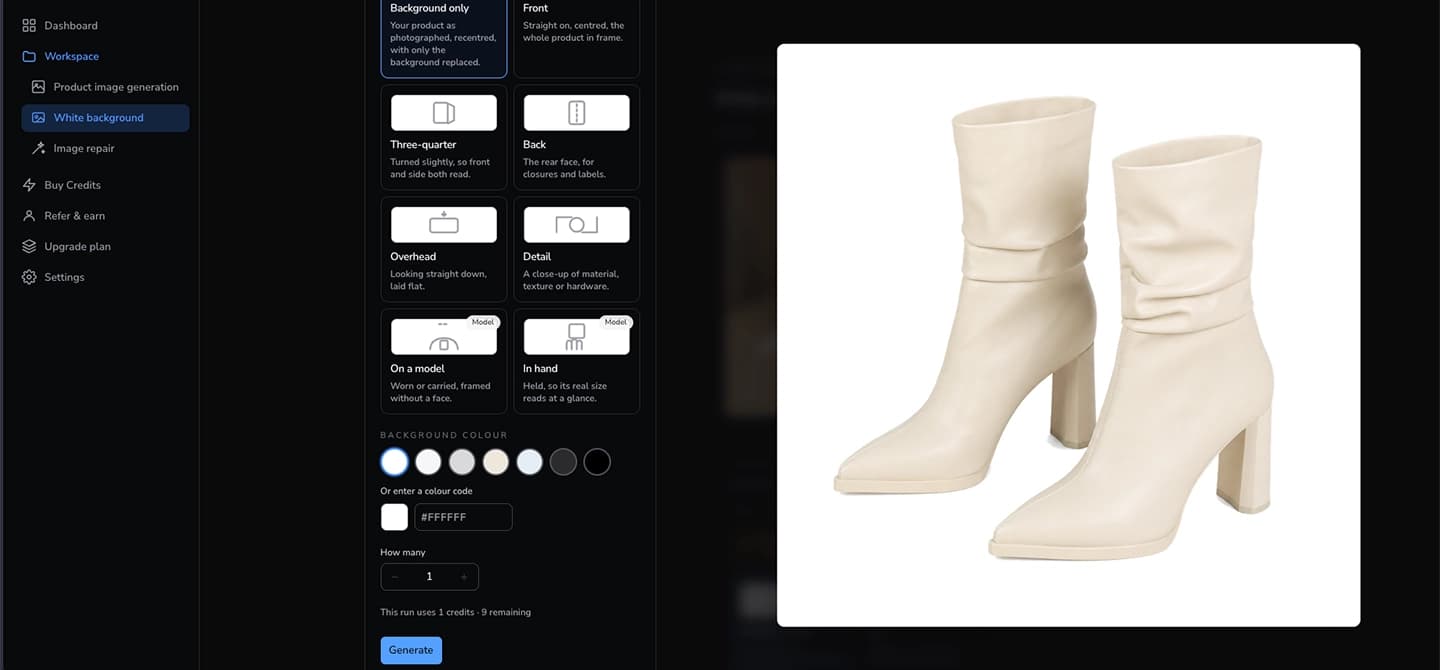
A main image that is white all the way to the corners
Marketplaces do not judge the main image by eye; they sample the background and want RGB 255. A model asked for white returns a lit sweep that drifts to grey in the corners, so we take the picture it gives back and force the backdrop to the exact value — while the product, and any white inside it, is left untouched. Pick another colour and the same thing happens to that one.
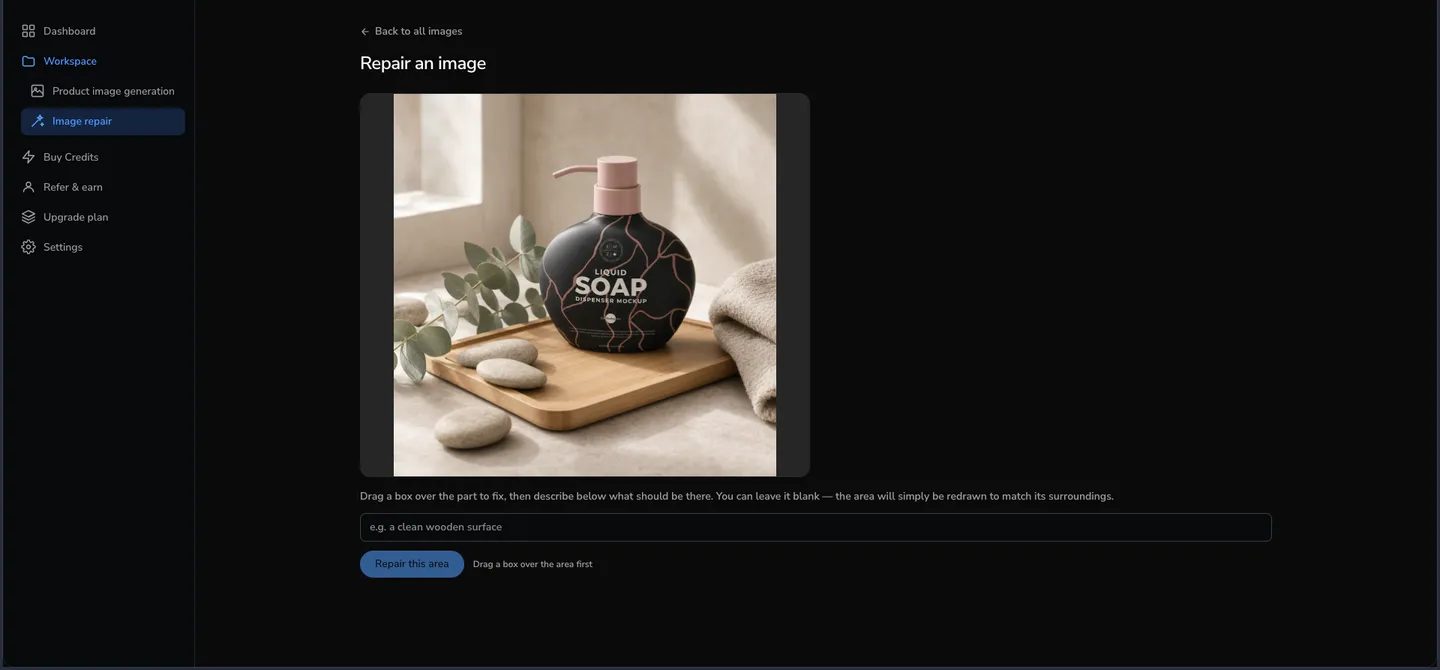
Fix the one thing that came out wrong
Generated images are usually right, and occasionally one detail is not — a stray towel in the corner, a smudge on the counter, a fold that reads oddly. Rather than throwing the picture away and rolling again, draw a box around that part and say what should be there instead. Leave it blank and the area is simply redrawn to match its surroundings.
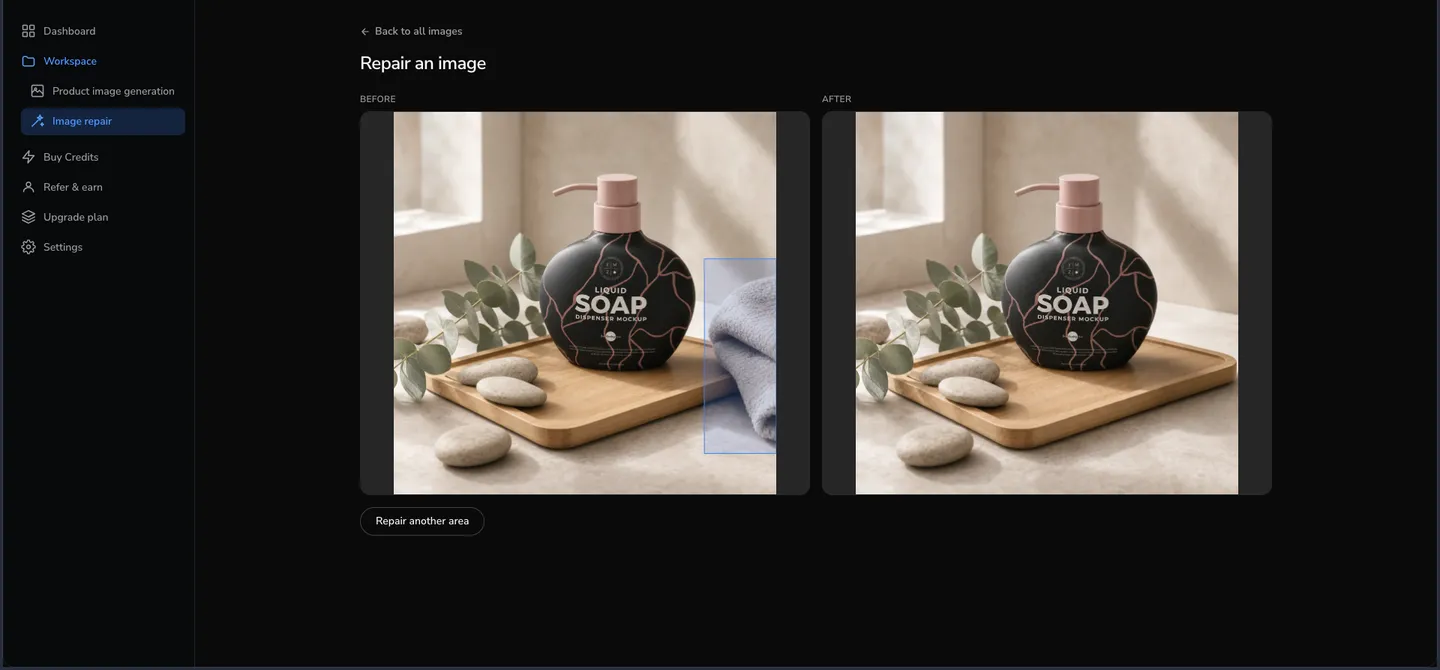
Only the part you framed changes
The rest of the photograph is untouched — same lighting, same product, same everything you already approved. You see before and after side by side, and if a second thing needs attention you can frame that too.
Exported at the size each marketplace asks for
Every storefront wants something slightly different, and getting it wrong means a rejected listing or a product cropped in half. Download any image already sized and padded for where it is going, or take the original untouched.
Amazon · Shopify · Etsy · TikTok Shop · Shopee · Lazada · Mercado Libre · Allegro · Zalando · Jumia · Takealot
One credit, one finished image
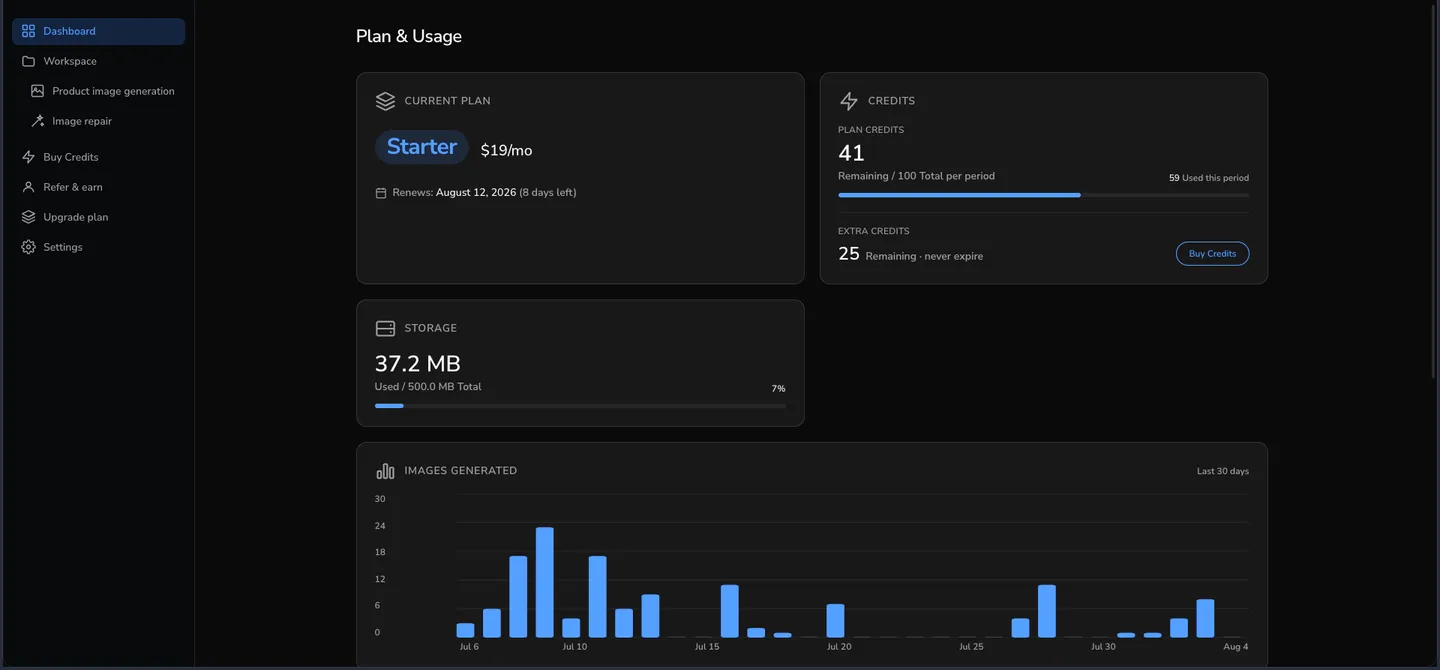
Every plan includes a monthly allowance of credits, and one credit produces one image — a generated photograph or a repair, priced the same. Credits you buy on top never expire. You can watch what is left, and what you have made, from the dashboard.
Try it on one of your own products
The free plan needs no card. Upload something from your shelf and see what comes back.
Start free