How to Create White Background Product Photos with AI
Upload one product photo and get a clean white-background image in seconds. No sweep, no lighting kit, no cutting out — and the same photo can give you the other angles your listing needs.
- Under 60 seconds, typically
- Any product category
- Pure white, measured
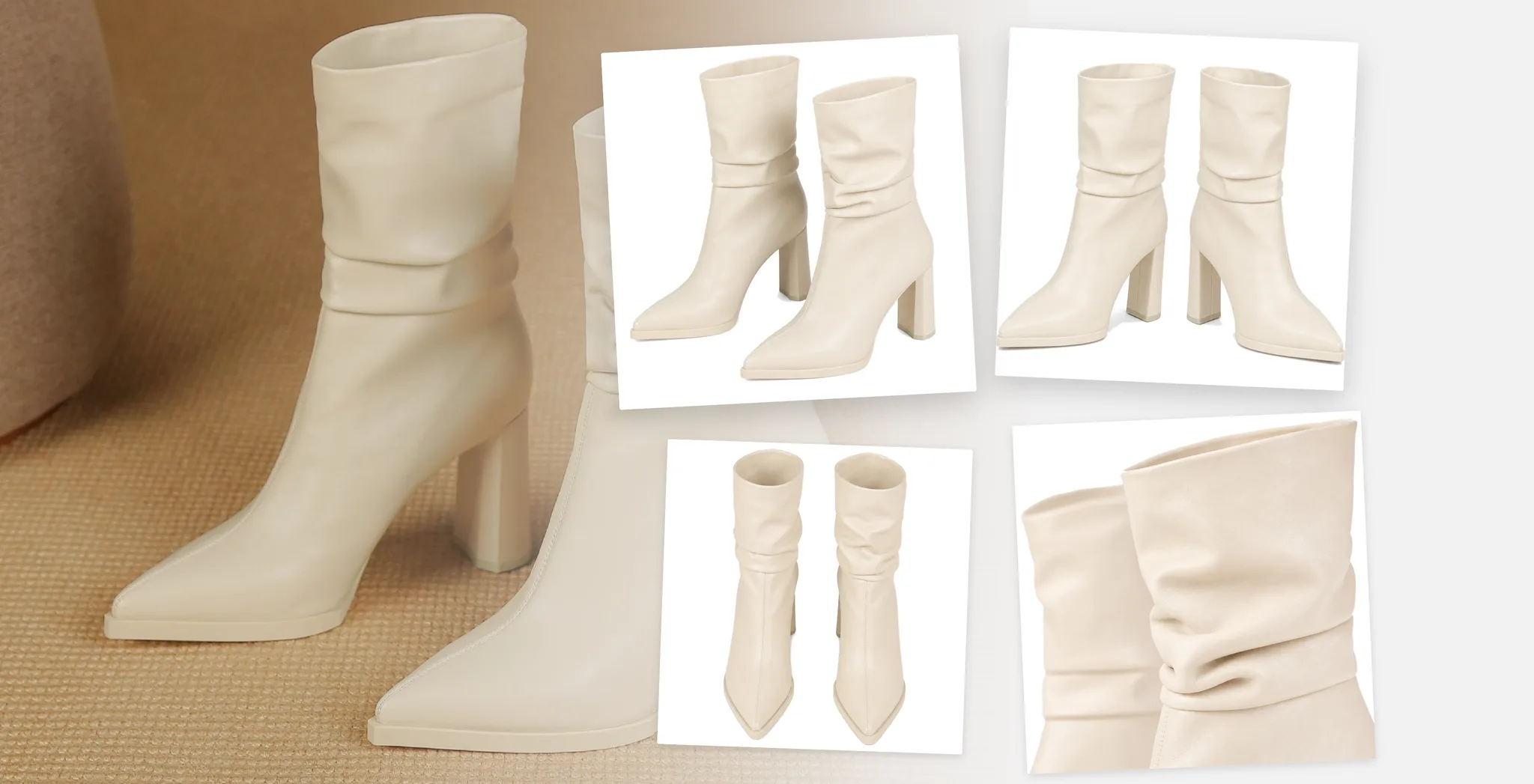
Marketplaces measure that background. They don't look at it.
Amazon and most other marketplaces put the main image through a check, and the number they want is pure white — RGB 255, 255, 255. A backdrop that reads as white next to your product is often 247 or 237, and that is a rejected listing rather than a slightly grey one.
This is what a photographed sweep gets wrong most often. imagvero fills the background with the colour you picked, so the value in the file is the value you asked for.
How to produce a main image that measures RGB 255Three steps, and no editing tools
Upload one product photo
Any ordinary photo will do — a phone shot on a table is fine. The product is detected for you, so there is nothing to cut out and nothing to mask.
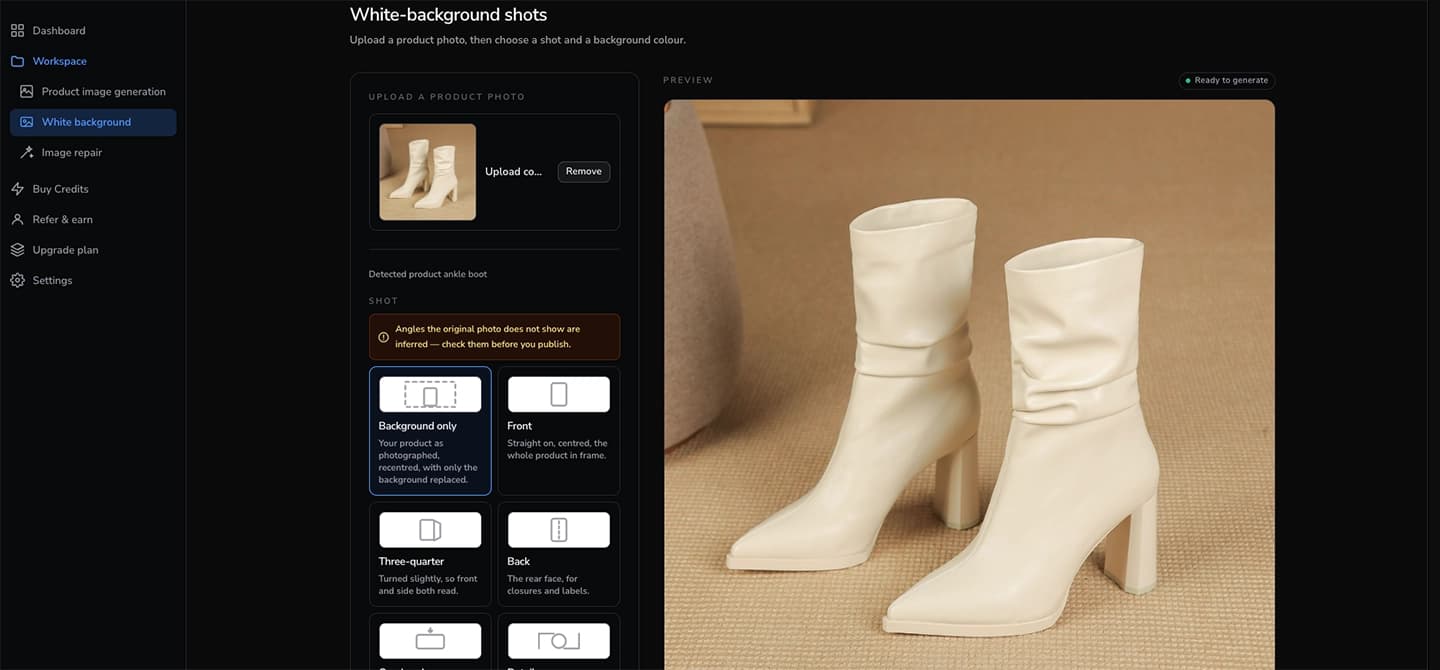
Pick the shot and the background colour
Choose how the product should be framed, then the backdrop. White is the default, and there is a field for an exact hex code when you need one. The credit cost is shown before you generate.
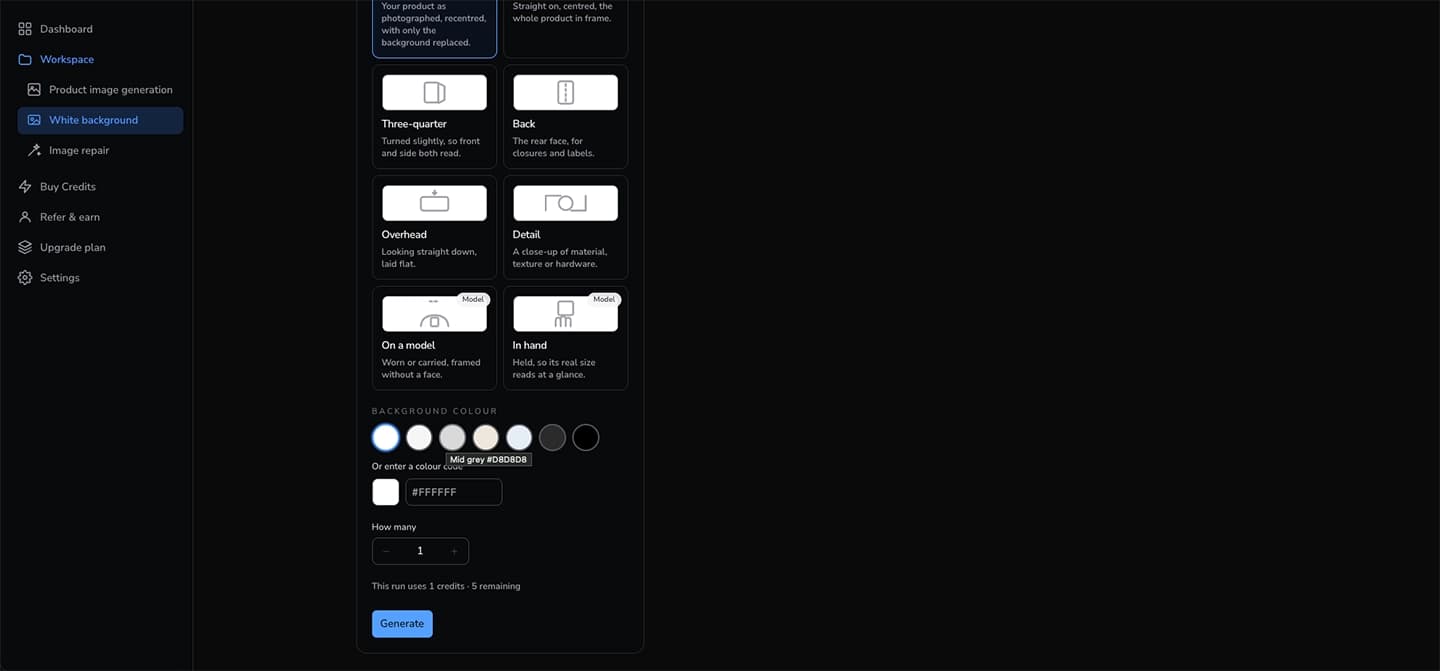
Download images that are ready to list
Results sit next to the photo you started from, so you can check the product against the original before anything goes near a listing.
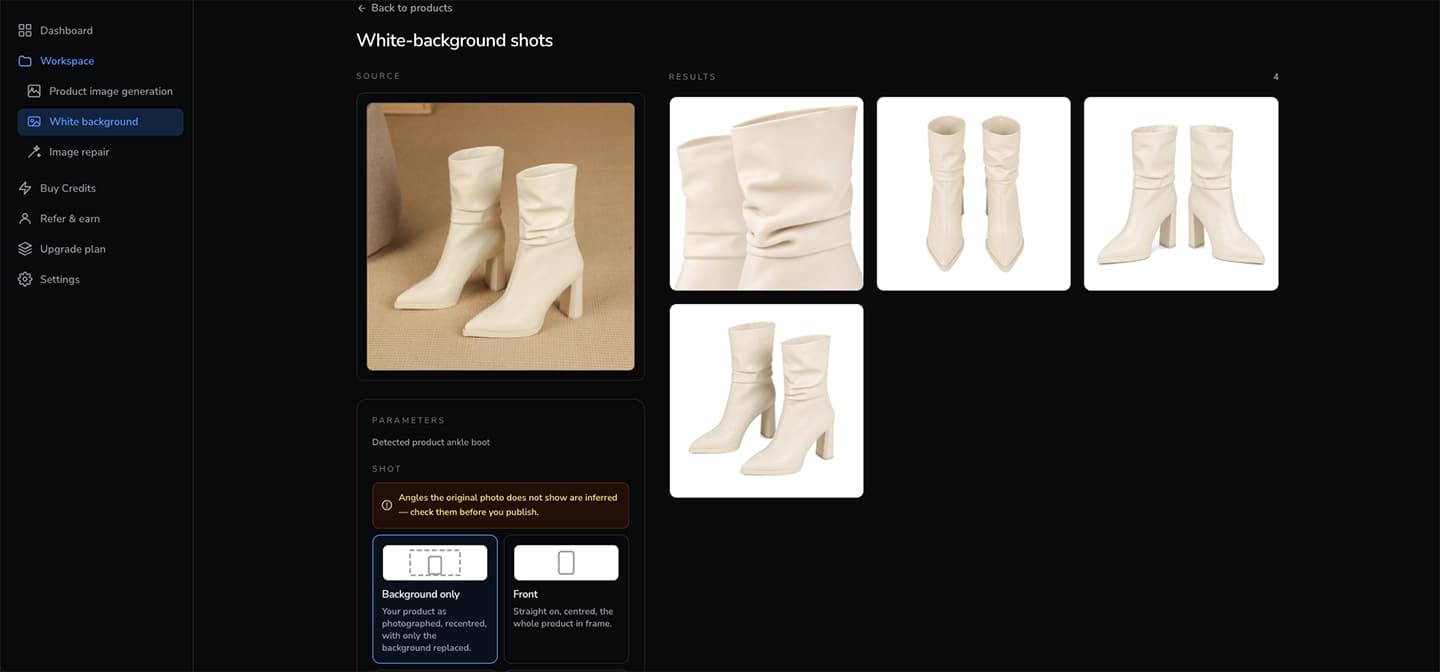
Eight angles on white, from a single photo
A background remover hands back the shot you already had with the backdrop swapped. imagvero can also show the product from views your original never contained — which is what fills out a product page when the item was only photographed once.
Background only
Your product as photographed, recentred, with only the background replaced.
Front
Straight on, centred, the whole product in frame.
Three-quarter
Turned slightly, so front and side both read.
Back
The rear face, for closures and labels.
Overhead
Looking straight down, laid flat.
Detail
A close-up of material, texture or hardware.
On a model
Worn or carried, framed without a face.
In hand
Held, so its real size reads at a glance.
Angles the original photo does not show are inferred, so check them before you publish. The workspace says the same thing next to the picker.
Why sellers use it for the main image
Your product, not a lookalike
Colour, material and hardware are held to the original photo. A generated angle is only worth having if the thing in it is still the thing you ship.
A catalog that matches
Every image lands on the same background, framed the same way, so a category page looks deliberate instead of assembled from whatever each supplier sent over.
One credit per image
No studio to hire, no shoot day, no re-shoot when a new variant arrives. Start on the free plan and see the result before paying anything.
Questions sellers ask
Will the background be white enough for Amazon?
Yes. The backdrop is filled with the colour you choose and the default is pure white — RGB 255, 255, 255 — which is exactly what Amazon's main-image check measures for.
Do I have to remove the background myself first?
No. Upload the photo as it is. The product is detected and the background replaced in the same step, so there is no cut-out, no mask and no layers to manage.
What if the photo was taken on a phone?
That is the normal case. A phone photo on a table or a floor works, as long as the product is in focus and reasonably lit.
Can I get a background that isn't white?
Yes. There are preset shades — light grey, sand, charcoal and others — and a field for any hex code, for when a marketplace or your own store asks for something specific.
How is this different from a background remover?
A remover works on the photo you have and stops there. This also generates the same product on white from other angles, so one photo can cover a whole listing instead of one slot in it.
Get your white-background shots from one photo
Free to start, one credit per image, and the first result is ready in about a minute.
Try imagvero free